When we say “AI,” we’re usually talking about LLMs. And LLMs are all about text: text goes in (prompt + context), text comes out. Do it repeatedly and you get a chatbot–which is why chatbots and CLIs are a natural fit for AI.
But when there’s a lot of text…well, that’s a document. Working with documents isn’t sequential: an addition here, a change there, a comment over here. Your users want to point at a sentence and ask, “Can you come up with an alternative?” Not, “Can you find an alternative to the last clause of the second sentence of the third paragraph in the fourth section,” followed by a manual cut-and-paste back into the doc.
Documents demand fluidity. Random access. Direct manipulation.
That experience–fluidly working in a document with AI–is already familiar to developers via tools like Cursor, Copilot, and Zed. And big non-developer products like Google Docs and Notion have begun adopting these workflows, too. But if you’re trying to build a document-AI experience yourself, you’ve probably discovered it’s devilishly difficult.
At Tiptap, we know documents. It’s what we do. Our Document Server manages and syncs them, our Conversion service transforms them, and of course our Editor enables people to create and edit them.
But now it’s not just people editing documents: it’s AI agents. And people…and other AI agents. In sequence, all at once, in browsers, on the server, in all sorts of permutations. What’s the AI complement to Tiptap’s Editor? It felt like a natural problem for us to solve.
Going headless
So early last year we created the AI Suggestion extension to Tiptap’s Editor. It handled standard AI flows right out of the box, with a fair amount of customization–custom prompts, custom context, bring-your-own LLM.
But in talking to customers we quickly discovered it wasn’t flexible enough. They’re building something cool and unique with AI; they want our expertise to integrate that with their documents, but they don’t want us constraining the AI itself. In particular, AI Suggestions didn’t support the flexibility of agentic loops.
For example: suppose you make an app to help marketers with their writing. You’re building a feature with which users can check their work against brand guidelines. AI Suggestions made that easy: hit a button, execute a prompt, update the doc with suggested changes.
But maybe you want more than a one-shot experience. Your AI needs to ask questions, demand clarification, propose alternatives, and so on. It’s an agent, not a prompt. And AI Suggestions couldn’t do that.
So last fall, we started over. We employed the same “headless” principles on which we base our editor–flexibility and composability–and created the AI Toolkit. That’s not just a catchy name: it’s a toolkit because it centers on tools you can pass to your LLM for tool-calling. We fit into your agentic loop instead of demanding you fit into ours.
AI Toolkit capabilities
What can AI Toolkit do? Think of it as the bridge between your AI and your documents, so the AI and the docs can talk directly to each other instead of awkwardly via workarounds.
It includes tools to read the document, to make changes, to understand selection state, to work with comments. Together, they allow your LLM to manipulate a document as easily as it performs a web search or chats with a user.
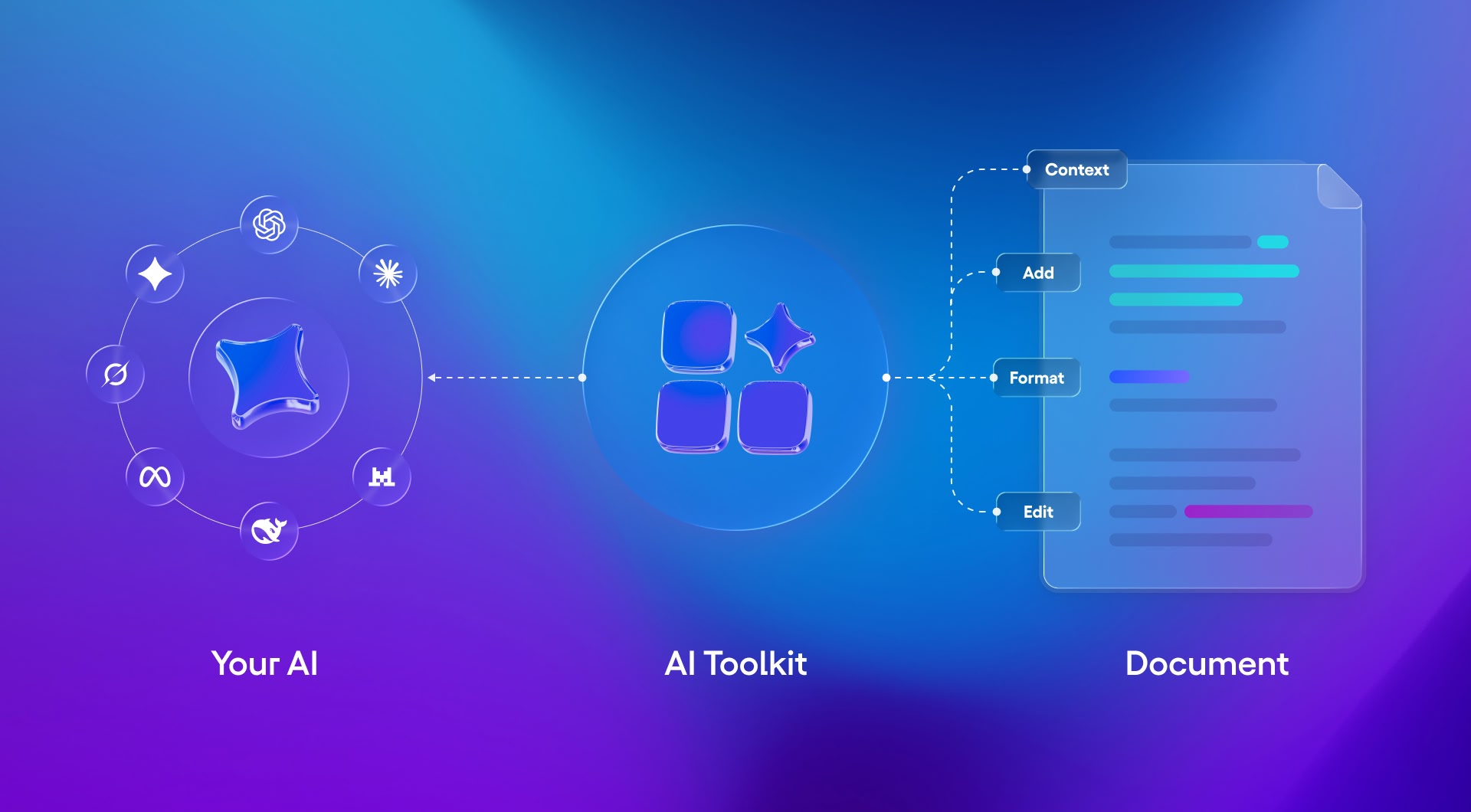
We’re also adding higher-level, composite tools to facilitate common functionality like proofreading, templating, or simple content insertion. These are similar to the canned workflows we built in our earlier extensions, but now they live in AI Toolkit’s more flexible world so you can mix, match, and customize freely. If you like our proofreading tool, you can use it. If you want to build a pipeline around it with other tools, you can. If you want to build your own proofreader, you can.
These tools understand not just the content of your doc, but the structural context (the schema) and the user context (cursor position, selection state).
Beyond the tools, AI Toolkit has the capabilities you need to build a great AI-editing experience: to be the bridge between your user and your AI, too. These include:
- Streaming: Show AI activity in the editor, character-by-character as it happens.
- Tight integration with our Tracked Changes extension so users can review AI changes.
- Split View: Sometimes AI can make a lot of changes, overwhelming traditional change-tracking UI. Split View shows “before” and “after” states side by side, borrowing a paradigm from the engineering world.
- Edit Multiple documents at once.
- Tiptap Shorthand is a special compressed JSON format that integrates with AI Toolkit to reduce token costs significantly. (Sorry, tokenmaxxers: I’m afraid we’re going to save you money.)
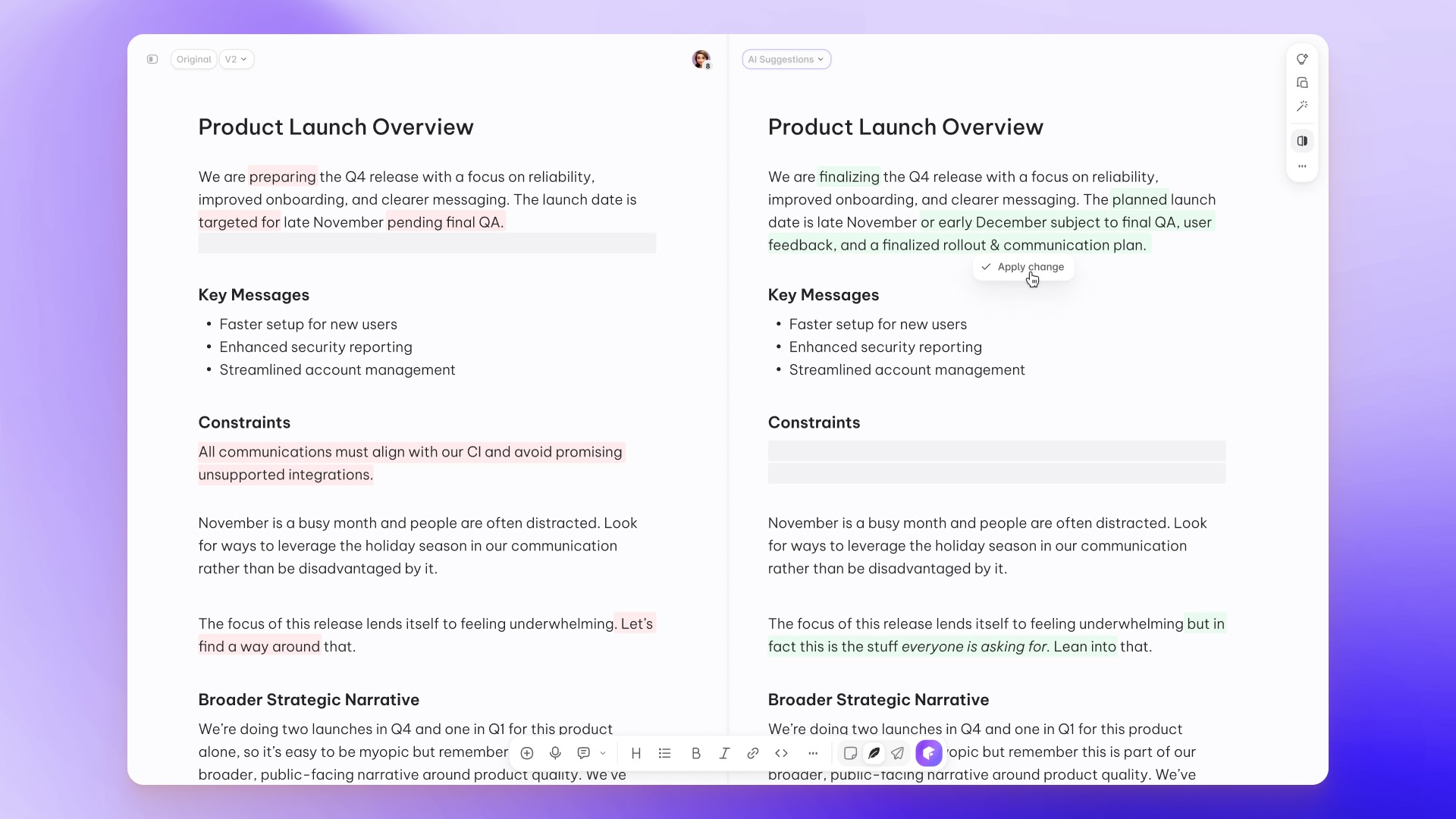
And again, you retain full control of your AI: models, frameworks, platforms, providers, data, everything. AI Toolkit connects your AI infrastructure to your documents without getting in the way or demanding compromise.
Build vs. buy
Maybe you’re thinking: Sure, that makes sense–but why buy AI Toolkit when I can build it? Potentially even vibe-code it?
And maybe you can! But should you? Certainly I’d like to convince you otherwise–and one challenge I face in doing so is that it might seem straightforward: the easy bits are evident and the hard bits, less so. In that regard it’s a lot like Tiptap’s open-source Editor: I was an easy sell on its utility because I’d made the mistake, back in 2021, of building a rich-text editor myself. Kind of by accident. Because I thought it would be simple.

And AI Toolkit is similar. Building a bridge between an AI prompt and and a plain-text document-edit might only take you a day or two. But as you factor in rich text, user unpredictability, task fuzziness, and AI nondeterminism, things get complicated fast.
Suppose the user says, “Rewrite the third paragraph for clarity.” How do you know which paragraph is the third? A rich-text document isn’t a sequence of characters but a tree, often with complex elements like tables and charts. So are you counting paragraph tags? Do you exclude headings? What about list items? What about paragraphs inside list items? What if the prompt is to edit a table row instead of a paragraph? Or an interactive element like a button?
What happens if, while your AI is processing those edits, the user adds another paragraph? Or divides the existing paragraph in two?
Once the AI response comes back, you probably want to stream it into the document. How do you ensure that happens in the right place? What if the target location moves due to concurrent user edits? What about edits by other users via real-time collaboration? What about other AIs?
You’ll probably want a review flow so users can accept/reject AI suggestions. How will that work? Who sees the suggestions? What happens if you accept/reject suggestions while other edits are happening simultaneously? What happens if another participant (AI or human) deletes the area containing a suggestion? How do you present an extensive set of AI changes in a way that’s easy for users to understand? What about changes inside tables?
What about token and network efficiency? Does every prompt need to contain the whole document? What if it’s an entire novel? But if you only prompt with the selected part, don’t you lack the context of the rest?
We’ve optimized the AI Toolkit to handle all of these situations. In particular, we built an entirely novel diff algorithm that can compare structured documents. And we dedicate resources to improving it: picking up more use cases, resolving bugs, adapting to newly-released LLMs, increasing reliability and reducing errors in the face of AI nondeterminism. (Even the most powerful AI models are prone to corrupt the documents they edit when tasks get complex.)
With any build/buy trade-off, you’re comparing a known (AI Toolkit + cost) to an unknown (building your own + maintaining it), and factoring in switching costs. Here, you retain the ownership of your AI and the flexibility to change it, which keeps switching costs low; the risks of the “build” option are significant; and it’s much cheaper to be wrong about a “buy” decision than a “build” one.
Ultimately, you’re building something differentiated. You want to focus on that; you didn’t sign up to spend your time and tokens on plumbing.